Freedom, with guardrails.
AP Seminar is student-led — that’s the point. Boomerang Projects adds the kind of light structure that protects student agency instead of replacing it. Customizable timelines. Visible milestones. Quiet accountability.
Built by an AP Seminar teacher · Beta opens 2026
AP Seminar is a course where students identify real-world problems and present concrete, feasible solutions. Boomerang Projects is the workspace that gives them — and you — the structure to do that well: customizable timelines, curated AP Seminar resources at hand, and guardrails that protect the freedom the course is built on.
The philosophy
On day one of AP Seminar, students learn that good thinkers notice. They learn why the A belongs in STEM — because the engineer who identifies a problem also needs the artist’s imagination to solve it. Innovation lives at that intersection. Boomerang Projects was designed around the same idea: give students room to notice, freedom to imagine, and a clear workspace to turn ideas into solutions that could actually be implemented.
AP Seminar is student-led — that’s the point. Boomerang Projects adds the kind of light structure that protects student agency instead of replacing it. Customizable timelines. Visible milestones. Quiet accountability.
Rubric language, RAVEN evaluation, APA 7 and MLA 9 formatting, and the AP Seminar workflow templates live inside the workspace — so students and teachers stop searching the internet to find what the course already requires.
AP Seminar asks students to move past what is toward what could be. Every screen in Boomerang Projects is designed to keep that motion going — from a question, to evidence, to a recommendation a real audience could act on.
Why this product exists
Across professional AP Seminar teacher communities, the same themes come up year after year: how to give students the freedom to explore, the freedom to think, the freedom to imagine what could be — and how to marshal all of that toward solutions that can actually be implemented. Teachers want to honor the student-led nature of the course. They also need to manage large sections, shifting motivation, and the simple reality that time is finite.
Boomerang Projects grew directly out of those conversations and out of running this course every day. It is a classroom management system designed to put real, helpful guardrails around the AP Seminar workflow without taking the workflow away from the students who are supposed to own it.
Timelines are customizable. Resources are at hand. The rubric is visible inside the work, not buried in a separate document. Teachers get the visibility they need to support — and students get a clear runway from noticing a problem to proposing a solution.
The product
Boomerang Projects is organized around the actual shape of the course — Performance Task 1, Performance Task 2, and the College Board rubric that runs underneath both. The screens below are captured directly from the v1 build.
01
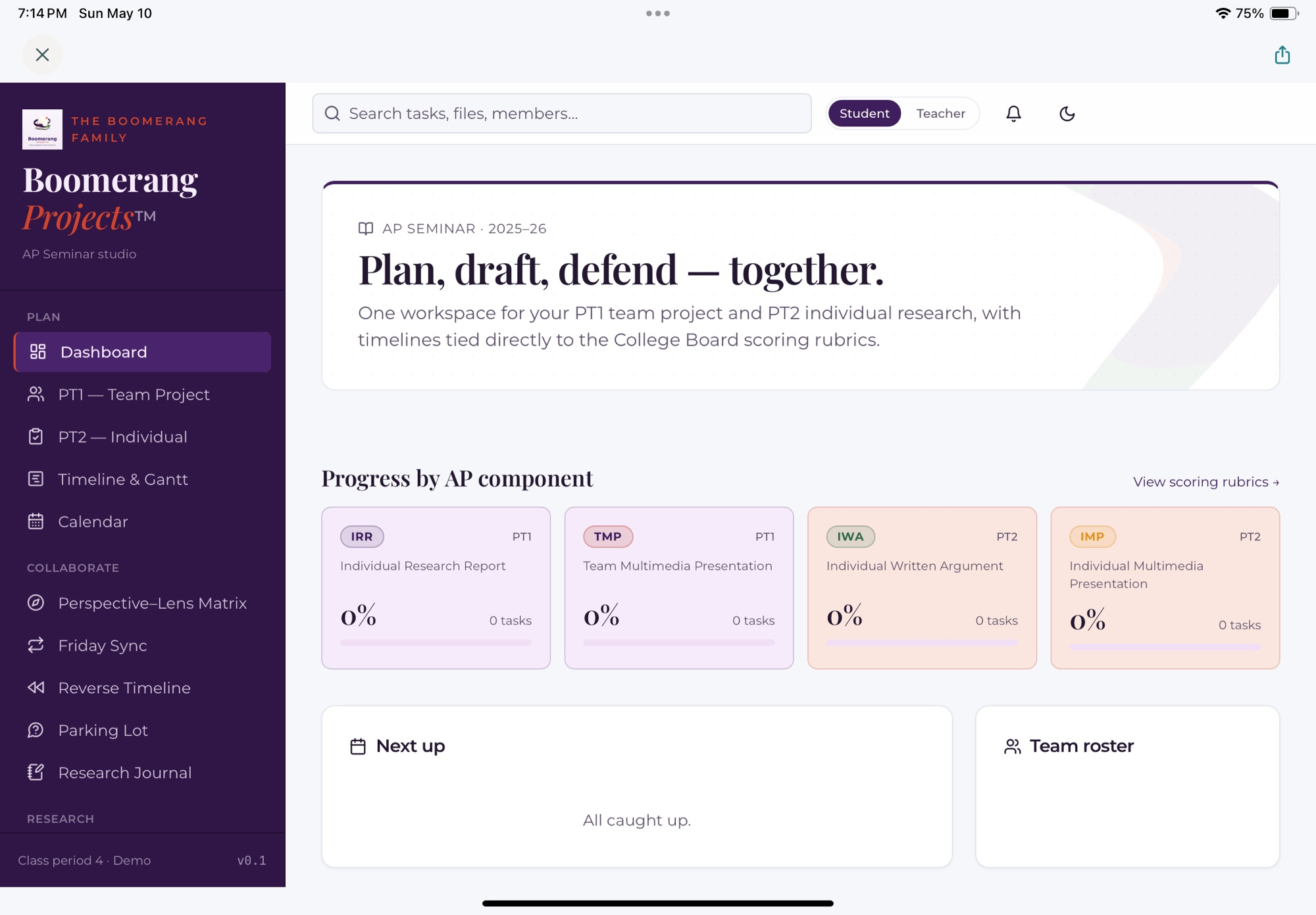
One dashboard. Two performance tasks. Four graded components — IRR, TMP, IWA, IMP — each tied to the College Board scoring rubric. Students see exactly what they’re working on, what’s next, and what the rubric will reward. Less guessing. More argument.
02
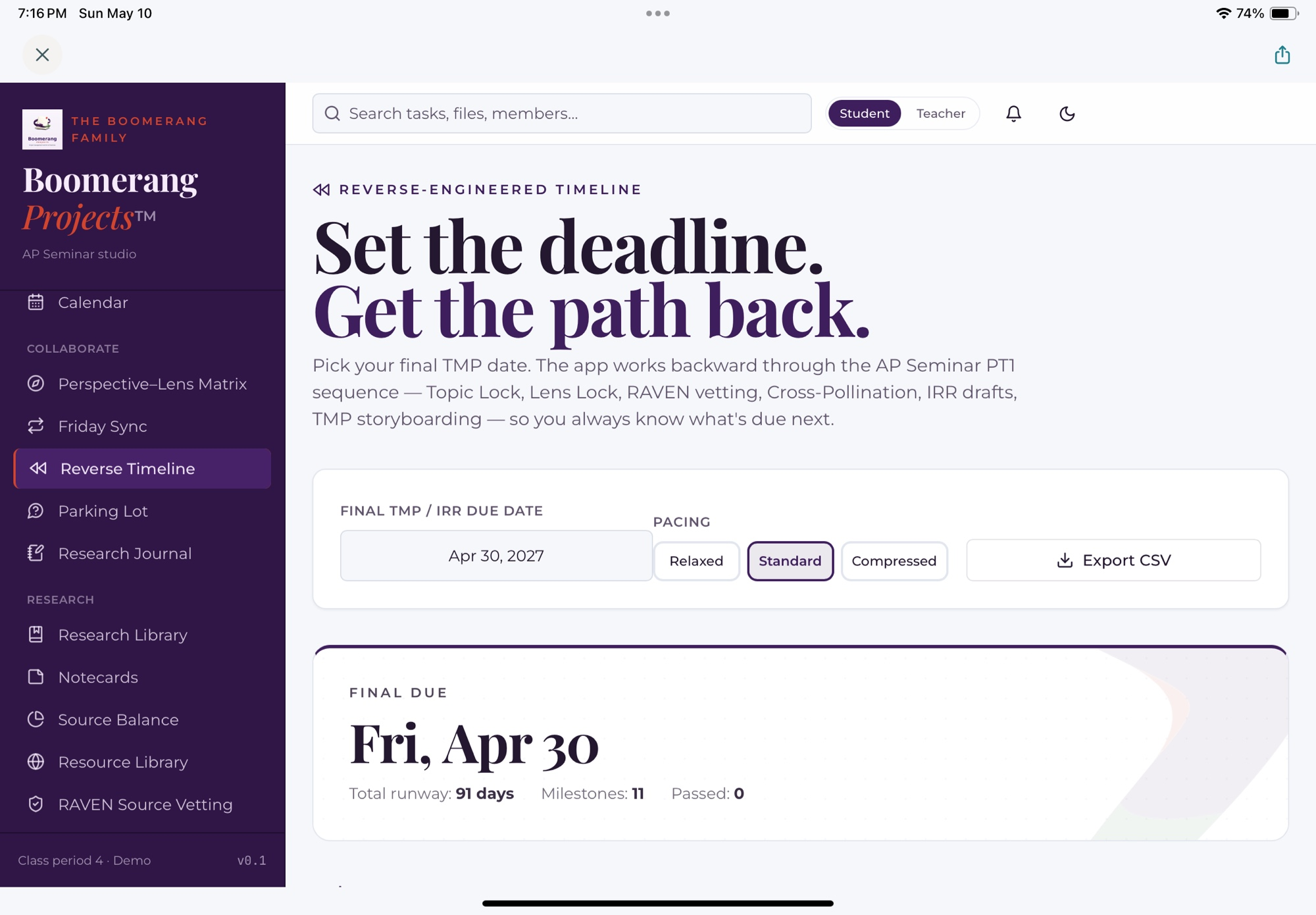
Pick the final TMP or IRR due date. Boomerang Projects works backward through the AP Seminar PT1 sequence — Topic Lock, Lens Lock, RAVEN vetting, Cross-Pollination, IRR drafts, TMP storyboarding — so students and teams always know what’s due next. Relaxed, Standard, or Compressed pacing, exportable to CSV for the gradebook.
03
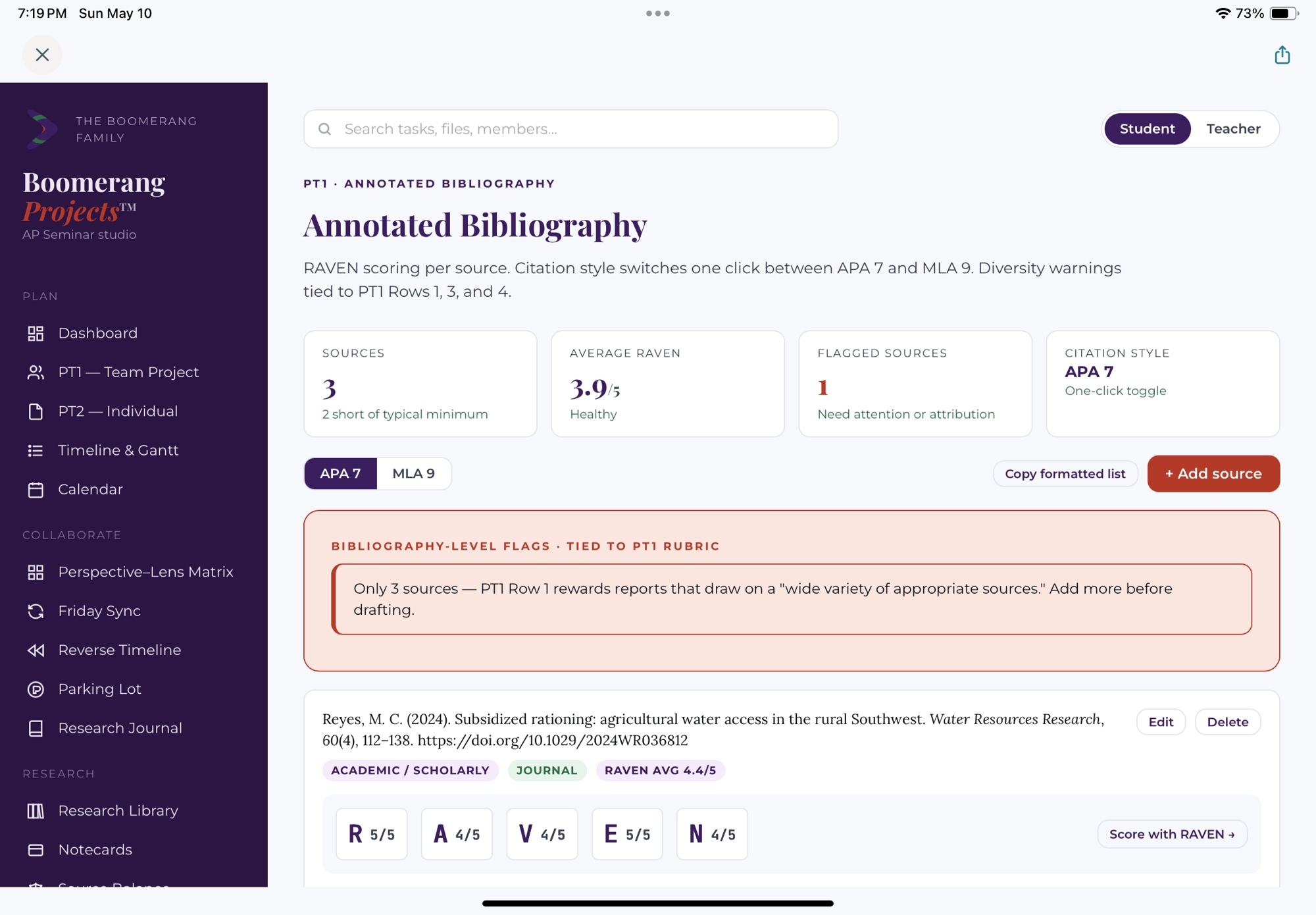
APA 7 and MLA 9 formatting on a one-click toggle. RAVEN scoring per source — Reputation, Ability to observe, Vested interest, Expertise, Neutrality — so source quality becomes a habit, not a last-minute check. Bibliography-level flags tied directly to PT1 Rows 1, 3, and 4 surface gaps before the rubric does.
04
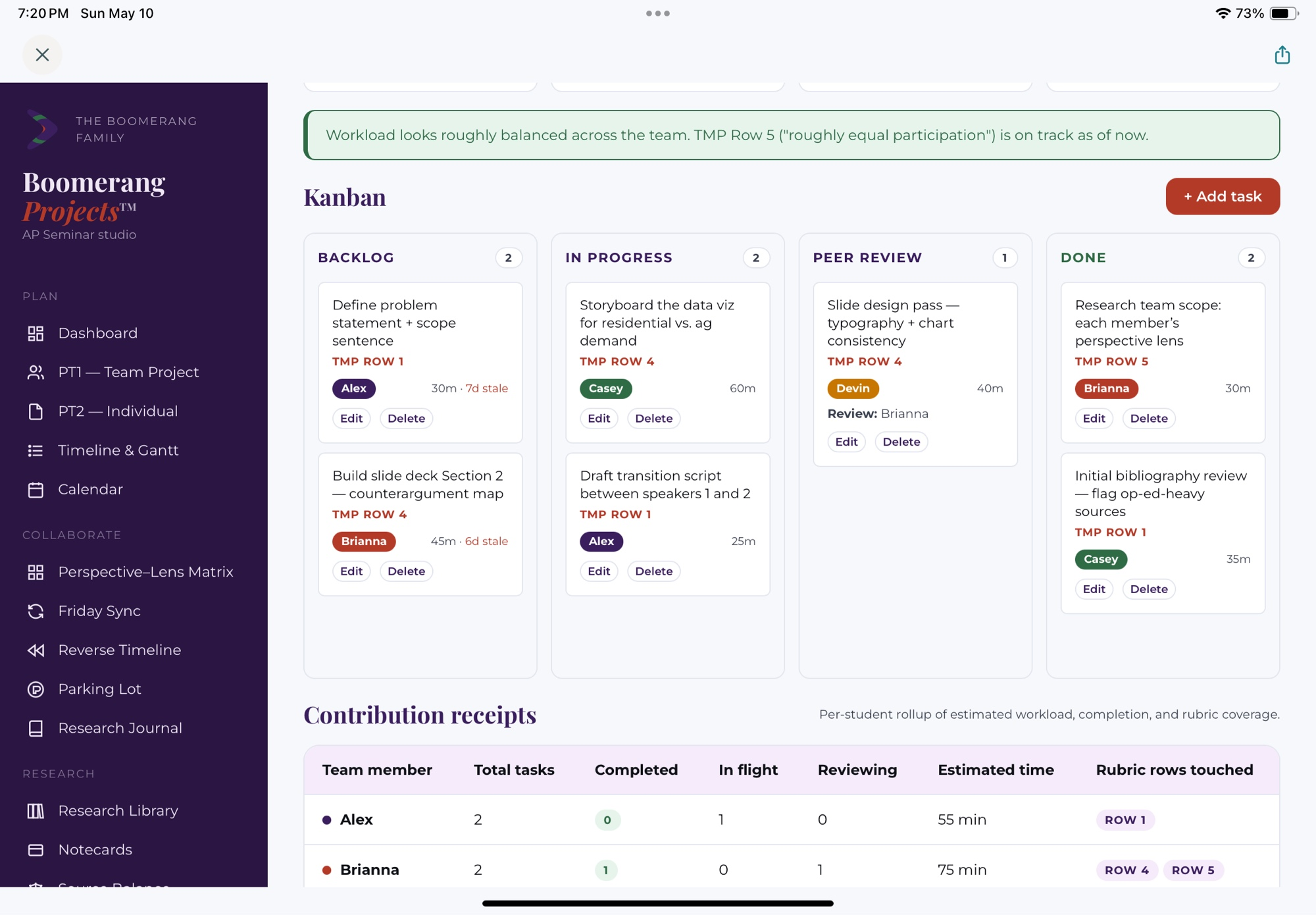
The Team Multimedia Presentation lives on coordination. A shared board — Backlog, In Progress, Peer Review, Done — keeps every teammate’s work visible. Each card carries a TMP rubric row, an owner, and an estimate. Contribution Receipts roll the whole board up per teammate so participation evidence is built in, not reconstructed.
05
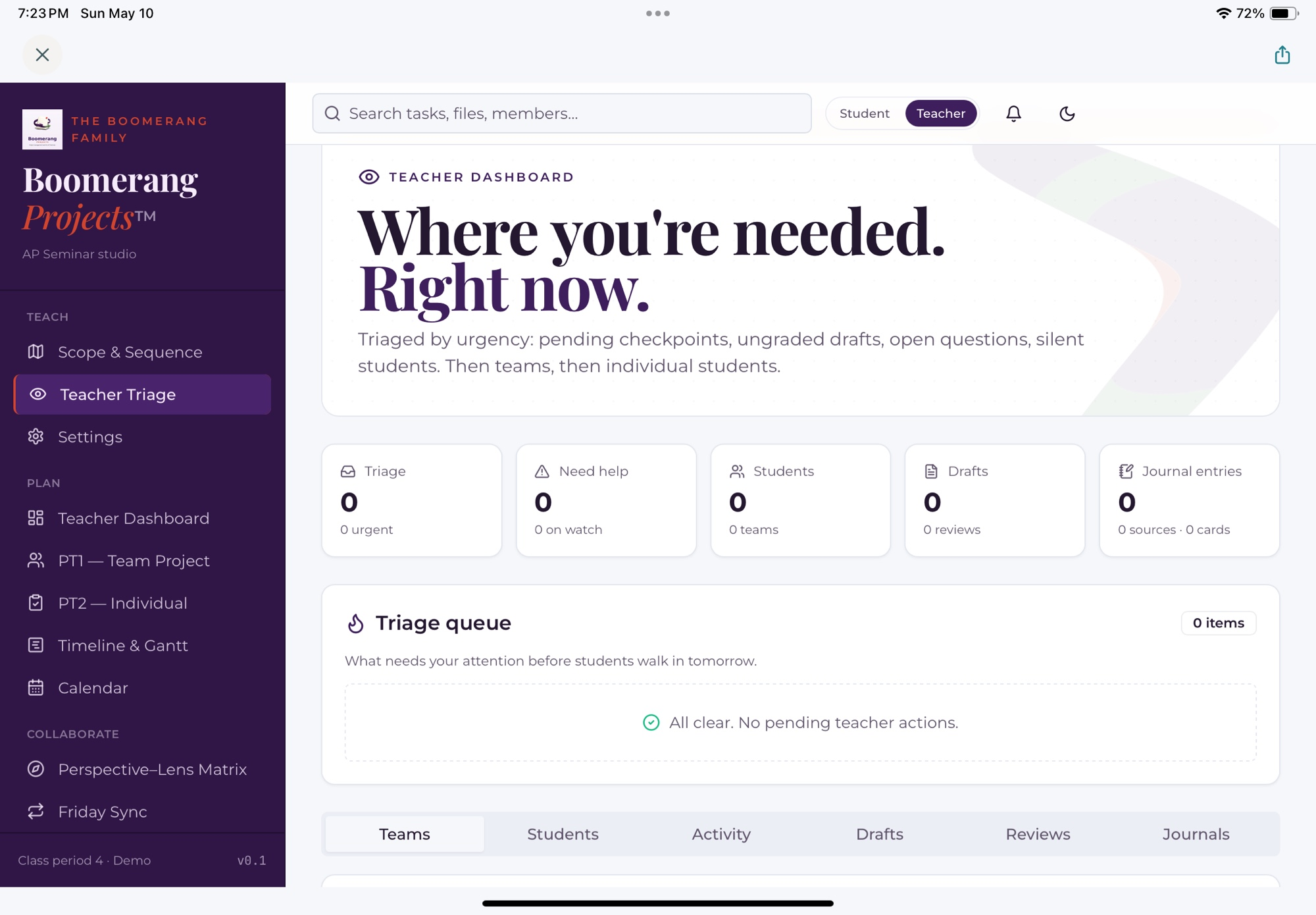
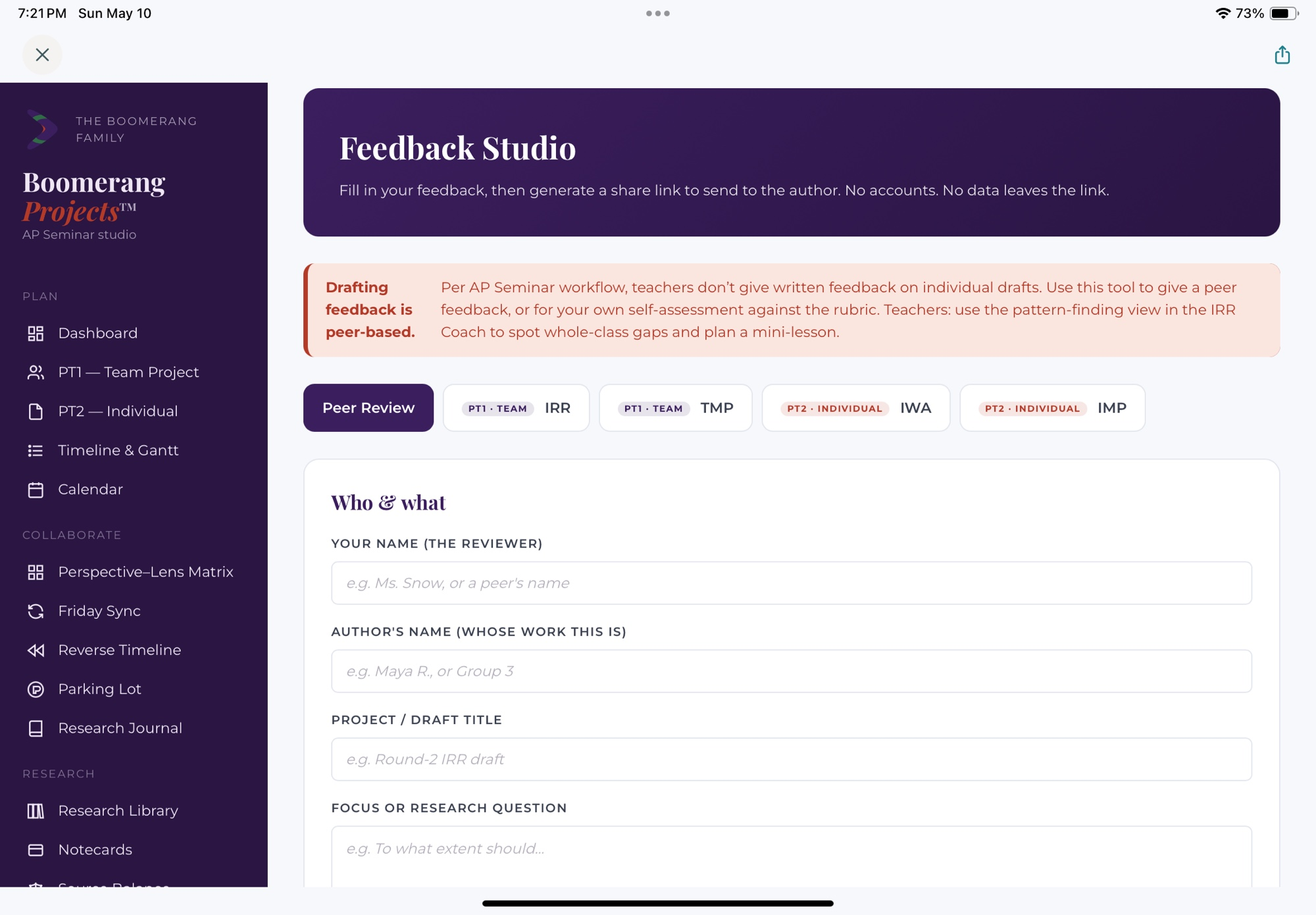
Toggle into Teacher view and the workspace re-organizes itself around a triage queue: pending checkpoints, ungraded drafts, open questions, silent students. Teams, then individual students. Built around the AP Seminar workflow where written drafting feedback stays peer-based and teachers spot whole-class patterns to plan mini-lessons.
A teacher-built workspace
Designed by a 20+ year high school English teacher who has taught AP Seminar since the program’s inception. Every screen exists because a real cohort of students hit a real wall — and a real teacher had to solve it on a Tuesday morning.
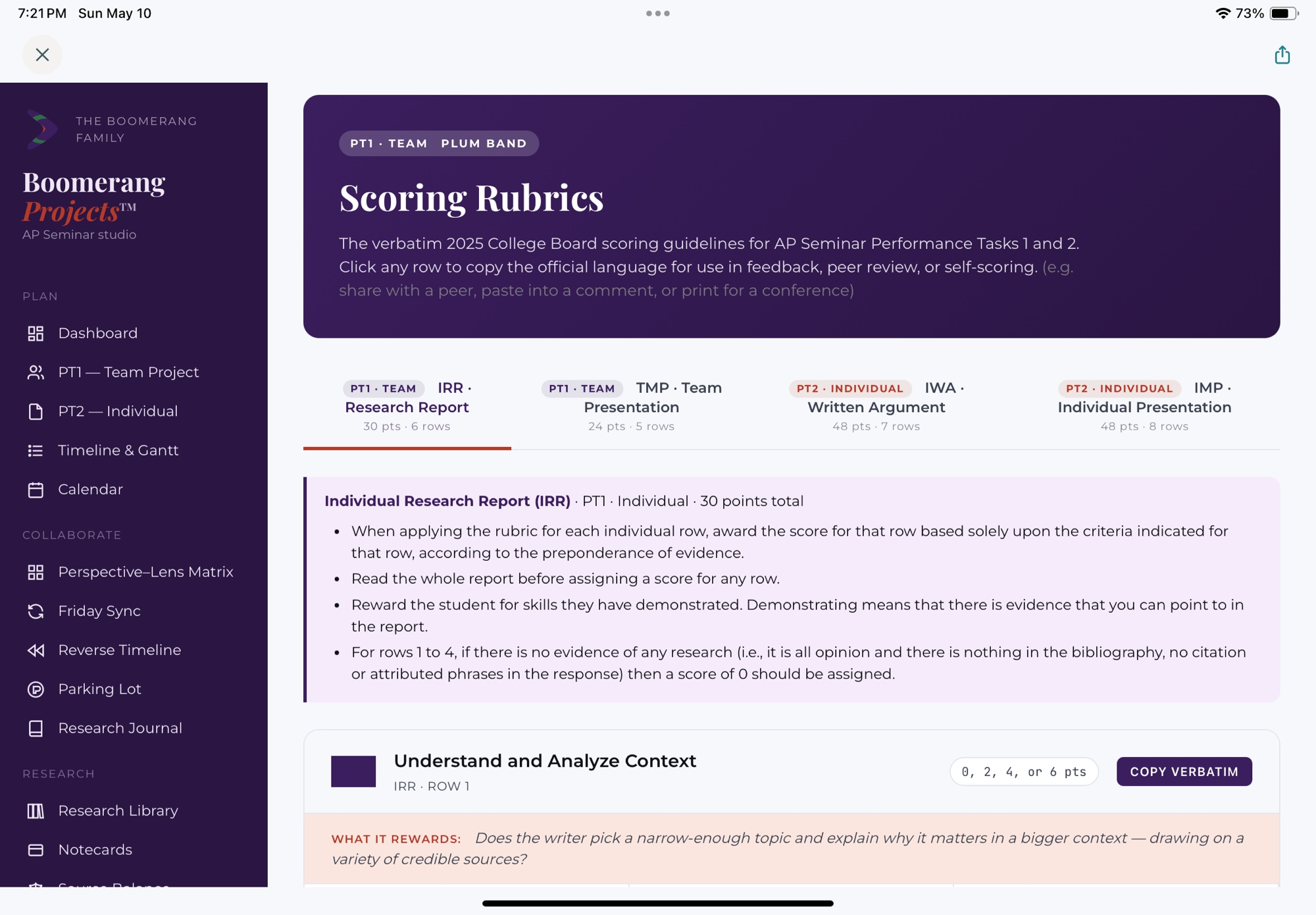
The PT1 and PT2 rubric rows aren’t buried in a help doc. They appear next to the draft, next to the bibliography, and inside the dashboard — in the College Board’s own language.
Minimal data collection. FERPA-aware language. No third-party trackers in student-facing flows. Student work is for the student and the teacher — not for a model, not for an ad network, not for anyone else.
AP Capstone, by the numbers
3,500+
schools worldwide offering AP Capstone (2024–25)
160,000+
AP Capstone students globally
+31%
year-over-year growth in schools offering the program
+291%
growth in Capstone participation since the program launched
Sources: College Board newsroom and district reporting (Katy ISD, 2025).
In the room


Beta is part of the work
AP Seminar teaches students to look honestly at limitations, implications, and possibilities. Boomerang Projects is built the same way. The v1 cohort is small on purpose — so we can listen, refine, and ship features the classroom actually needs.
v1 · Beta release
v2 · After classroom pilots
Join the beta
We’re onboarding a small first cohort of AP Seminar teachers for the 2026–27 school year. Beta partners get free access during the entire beta period and a direct line to the founder — your feedback shapes what v1 ships with.
“Boomerang Projects came directly out of teaching AP Seminar — out of watching students do their best thinking when the workflow stopped getting in their way. The tools we put in classrooms should reflect the best of teaching: trust, judgment, and care. The freedom this course is built on is worth protecting, and the structure that protects it is worth building well.”
— Drew Snow, Founder & CEO, Boomerang Projects™
drewsnow@boomerangprojects.com